Running handwriting
Cursive is largely beyond it. Neat block capitals often work; a flowing signature or a handwritten margin note will not.
Offline OCR software for Windows — convert scanned PDFs, photographs and image files into searchable Microsoft Word documents.
Point it at a scanned deed, a photographed page or a fifty-page PDF. ARIA OCR hands back a Word document you can edit, search and reuse — with the words it was unsure of already underlined for you. Completely offline, so the papers you are working on never leave your desk.
Prefer the Store? Get it from the Microsoft Store — Microsoft-verified, no security warning on install.
Most tools that convert a scanned PDF to Word hand back a file with an invisible text layer you cannot properly edit. ARIA OCR writes a real .docx: searchable paragraphs, words, a cursor you can put in the middle of a sentence.
A fifty-page agreement arrives as fifty rows. Click any one and you see that page's image beside its own text, with its own word count and confidence score — so you can check page 34 without scrolling through the other 49.
Corrects tilt up to 20° and picks a cleanup method to match the damage — noise, shadow, faded ink, low contrast.
Low-confidence words come through underlined in red in the Word file, so proofreading takes minutes rather than a full re-read.
The model sits on your hard disk. Unplug the internet and it works exactly the same.
of memory is comfortable. The whole application, model included, peaks near 170 MB. Meant for the computer you already own.
There is no project to set up, no settings to learn and no account to create. Open it, drop the files in, press one button.
Drag images or PDFs onto the window, or click to browse. Whole folders are fine.
A progress bar shows the page count, elapsed time and an estimate of what is left.
Click any page to see its image and text side by side. Anything read with low confidence is marked.
One button writes a .docx with every page in order. Open it in Word, Google Docs or LibreOffice and edit normally.
Printed and typed text is what this is built for, and it handles poor scans of it very well. Two honest limitations, so nobody pays and then finds out.
Cursive is largely beyond it. Neat block capitals often work; a flowing signature or a handwritten margin note will not.
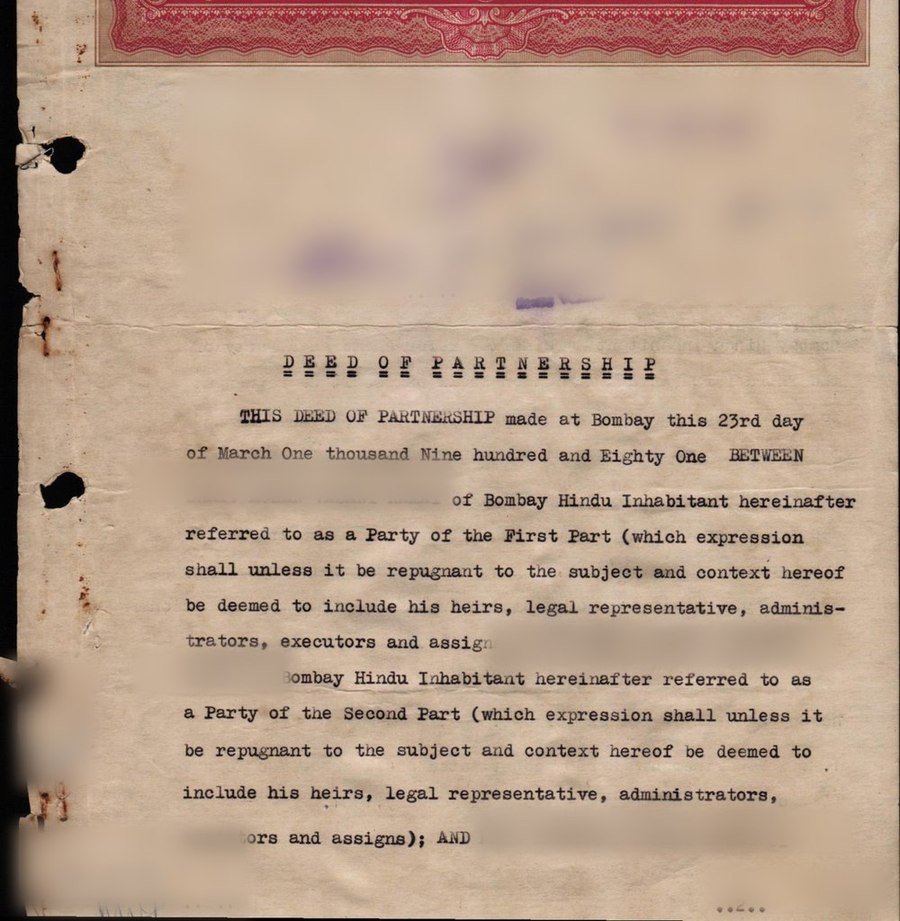
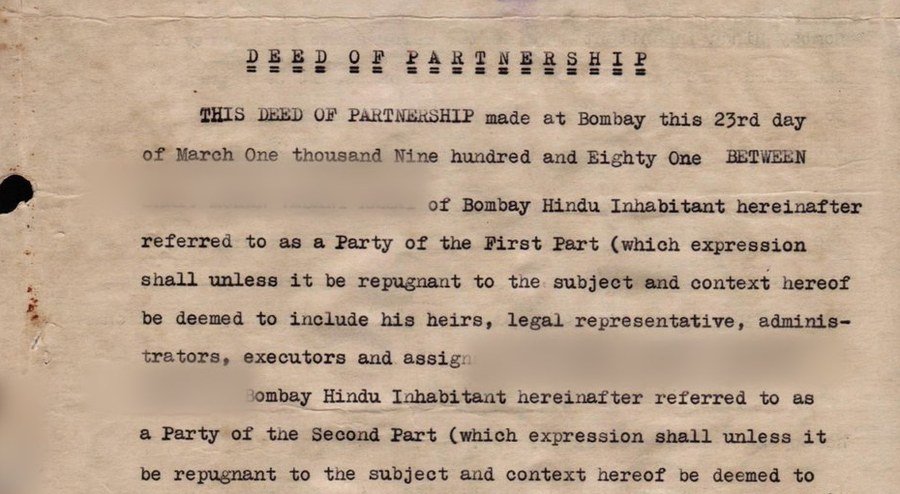
Bold underlined display type sometimes comes back garbled, even when the body text beneath it is read perfectly.
Install it and try it on the documents you actually work with. Word files exported during the trial carry a small footer line; everything else is the full product.
The alternative is retyping it. That is the honest comparison — not another piece of software, but an afternoon you will never get back.
WINDOWS 10 / 11 · 135 MB · NO CARD, NO ACCOUNT
Already bought a licence? Find your key here.
The same job — turning scanned pages into editable text — priced by the people who normally sell it. Public list prices, checked on their own websites.
| What you would otherwise pay | Price | How it is sold |
|---|---|---|
| ARIA OCR | ₹2,999 | A year, one computer. Runs offline. No account. |
| Tungsten / Kofax Power PDF Standard | ₹14,899 | Perpetual — about five times the price |
| ABBYY FineReader | — | No price published on the product page at all |
| Online OCR services | Free | But your document is uploaded to a server you do not control |
We are not the cheapest way to read a scan — a free website is. We are the cheapest way to read a scan without the file leaving your computer. That is the whole product.
| Operating system | Windows 10 or Windows 11, 64-bit |
|---|---|
| Processor | Any 64-bit processor. Two cores recommended. |
| Memory | 4 GB is comfortable. The app peaks near 170 MB. |
| Disk space | About 450 MB once installed |
| Graphics card | Not needed. A GPU makes almost no difference to this work. |
| Internet | Needed once to activate. Offline thereafter, until the licence expires. |
| Input formats | PDF, PNG, JPG, JPEG, TIFF, BMP, WEBP |
| Output formats | Word (.docx) and plain text (.txt) |
| Languages | English. Other scripts are not yet supported. |
| macOS | Not yet available. Register your interest and we will tell you if it happens. |